
Download Crayon AI – Free AI Image Generator, Photo Editor & Restoration Tool
Overview of Crayon AI
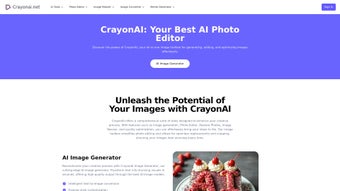
Crayon AI is a cloud‑native graphics suite that blends cutting‑edge text‑to‑image generation with a full‑featured photo editor, restoration engine, and background‑removal utility. Built around the Flux1 AI model, the platform turns natural‑language prompts into high‑resolution artwork in seconds, making it possible for designers, marketers, educators, and casual creators to produce professional‑grade visuals without ever installing software. The interface is deliberately minimal: a central canvas, a prompt box, style selectors, and a side panel for editing tools.
Because everything runs in the browser, users benefit from instant updates, zero‑maintenance installations, and cross‑device consistency. Whether you need a striking illustration for a blog post, a polished product photo for an e‑commerce catalog, or a restored family portrait from the 1950s, Crayon AI offers a streamlined workflow that eliminates the need for multiple disconnected apps. Security is baked in with TLS 1.3 encryption and ISO‑27001‑certified cloud storage, while the free tier provides generous daily generation limits, ensuring that hobbyists can explore the technology without financial commitment.
The platform’s roadmap includes regular model upgrades, expanded style libraries, and AI‑assisted typography, positioning Crayon AI as a future‑proof solution in a rapidly evolving AI art landscape.
Key Features that Distinguish Crayon AI
Crayon AI’s feature set is designed to address the entire visual creation pipeline, from concept to final export. The following capabilities are integrated directly into the web interface, eliminating the need for third‑party plug‑ins or desktop applications. Each feature has been optimized for speed, accuracy, and ease of use, allowing users of any skill level to achieve professional results.
- Flux1 Text‑to‑Image Generator: Generate photorealistic or stylized images from simple sentences, with support for multiple artistic styles, aspect ratios, and resolution options.
- Built‑in Photo Editor: Crop, rotate, adjust exposure, apply filters, and fine‑tune colors without leaving the generation canvas.
- AI‑Powered Photo Restoration: Automatically repair scratches, remove noise, and restore faded colors in historic photographs.
- One‑Click Background Removal: Isolate subjects instantly for e‑commerce listings, marketing banners, or composite artwork.
- Smart Resizing & Export: Resize images for Instagram, Facebook, print, or web while preserving detail; export as PNG, JPEG, SVG, TIFF, or PDF.
- Batch Processing Engine: Upload multiple files to apply restoration or background removal in parallel, saving hours of manual work.
- Creative Playgrounds: Random Animal Generator and Slang Meme Generator provide quick, fun content for social media campaigns.
- Cross‑Device Compatibility: Fully functional on Windows, macOS, Linux, Android, and iOS through any modern browser.
- Secure Cloud Workspace: Projects are saved in encrypted cloud storage, with version history and easy sharing options.
- Continuous AI Model Updates: New artistic styles and performance improvements are deployed automatically, keeping the tool current.
Installation, Usage Instructions, and Compatibility Details
Because Crayon AI is delivered as a Software‑as‑a‑Service (SaaS) platform, there is no traditional installation process. Users simply create an account, verify their email, and begin generating content from any internet‑connected device. The steps below guide you from sign‑up to export:
- Visit the Official Site: Open crayonai.com in Chrome, Firefox, Safari, or Edge.
- Create Your Account: Click “Sign Up,” provide your name, email address, and a strong password. Confirm the registration link sent to your inbox.
- Select a Plan: Choose the free tier (20 generations per day) or upgrade to a premium subscription for unlimited access and higher‑resolution outputs.
- Start a Project: From the dashboard, click “New Image,” type a descriptive prompt, pick a style, and press “Generate.” Results appear within 2–5 seconds.
- Edit & Refine: Use the side‑panel editor to adjust composition, apply filters, or remove the background. All changes are saved automatically to your cloud workspace.
- Export or Share: Download the final file in your preferred format or share directly to Facebook, Instagram, Twitter, or a custom URL.
Compatibility: Crayon AI runs on any device with a modern web browser, including Windows 10/11, macOS Ventura and later, major Linux distributions, Android 8+, and iOS 13+. No additional plugins, Java, or Flash are required, making it truly cross‑platform.
Security is a core design principle: all data transfers use TLS 1.3 encryption, and stored files reside in ISO‑27001‑certified data centers. Updates to the AI models, UI enhancements, and security patches are applied server‑side, guaranteeing that every user always experiences the latest version without manual intervention.
Pros, Cons, Frequently Asked Questions, and Final Verdict
Pros
- Instant, high‑quality image generation from simple text prompts.
- All‑in‑one editor, restoration, and background‑removal tools.
- Zero‑install, browser‑based access on any operating system.
- Generous free tier suitable for casual creators and students.
- Secure cloud storage with automatic updates and version control.
Cons
- Unlimited generations and ultra‑high‑resolution exports require a paid subscription.
- Performance is dependent on internet speed and latency.
- Fine‑grained lighting and shadow controls are less detailed than some desktop‑only AI suites.
Frequently Asked Questions
Is Crayon AI truly free to use?
Yes. The free tier allows up to 20 image generations per day, access to the basic editor, and 100 MB of cloud storage. Premium plans unlock higher limits, larger file sizes, and additional export formats.
Can I run Crayon AI on my mobile phone?
Absolutely. The responsive design works on Android and iOS browsers, offering the same generation, editing, and export capabilities as the desktop experience.
How does the AI restoration handle heavily damaged photos?
The restoration engine uses a deep‑learning model trained on millions of historic images. It can intelligently fill missing areas, correct color fading, and reduce grain. Extremely fragmented photos may still need manual touch‑up for perfect results.
What export formats are available?
All users can download PNG, JPEG, and SVG. Premium subscribers gain access to TIFF and high‑resolution PDF exports, which are ideal for print workflows.
Is my data safe on Crayon AI?
Yes. Data is encrypted both in transit (TLS 1.3) and at rest. The service complies with GDPR and CCPA, and users can permanently delete projects from the dashboard at any time.
Conclusion & Call to Action
Crayon AI delivers a compelling blend of AI‑driven creativity and practical editing tools without the overhead of traditional software installations. Its browser‑first approach guarantees accessibility on any device, while the free tier provides enough horsepower for everyday projects. Professionals who require unlimited generations, higher‑resolution assets, and priority support will find the premium subscription a worthwhile investment. Ready to turn your ideas into stunning visuals in seconds? Create your free account now and start generating, editing, and restoring images with Crayon AI today.



.png)



